Our applications

Ideas turned into
useful applications.

Explore five applications designed around practical needs. View real screens, see what each tool makes possible and try the public applications.

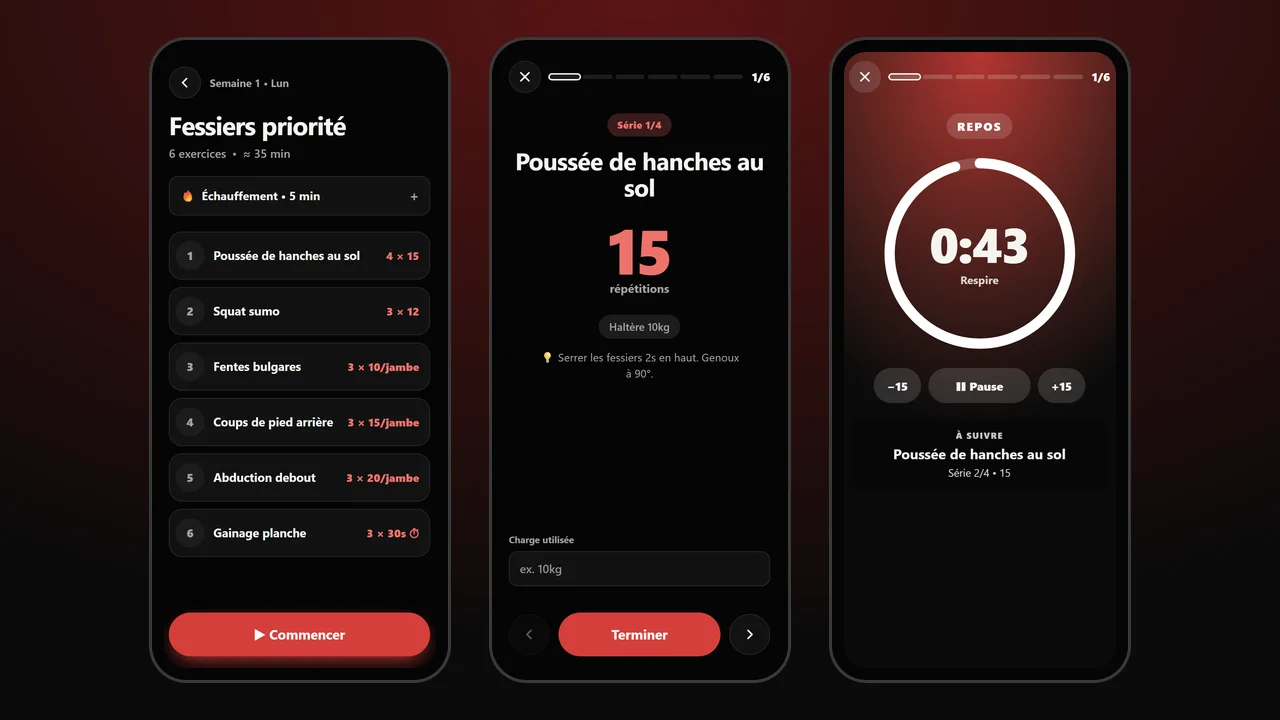
Three Elo Fitness screens: the workout’s exercise list, a full-screen exercise with the Finish button, and the rest timer
Guided workout · Exercise · Rest timer
Fitness · Personal goals

Elo Fitness

A 12-week fitness programme with full-screen guided workouts: one set at a time, rest timer, weight tracking and progress, even offline.

The need
Follow a fitness programme over time.
What it makes possible
Guide each workout step by step and keep track of progress over 12 weeks.
12 weeksGuided workoutsOffline
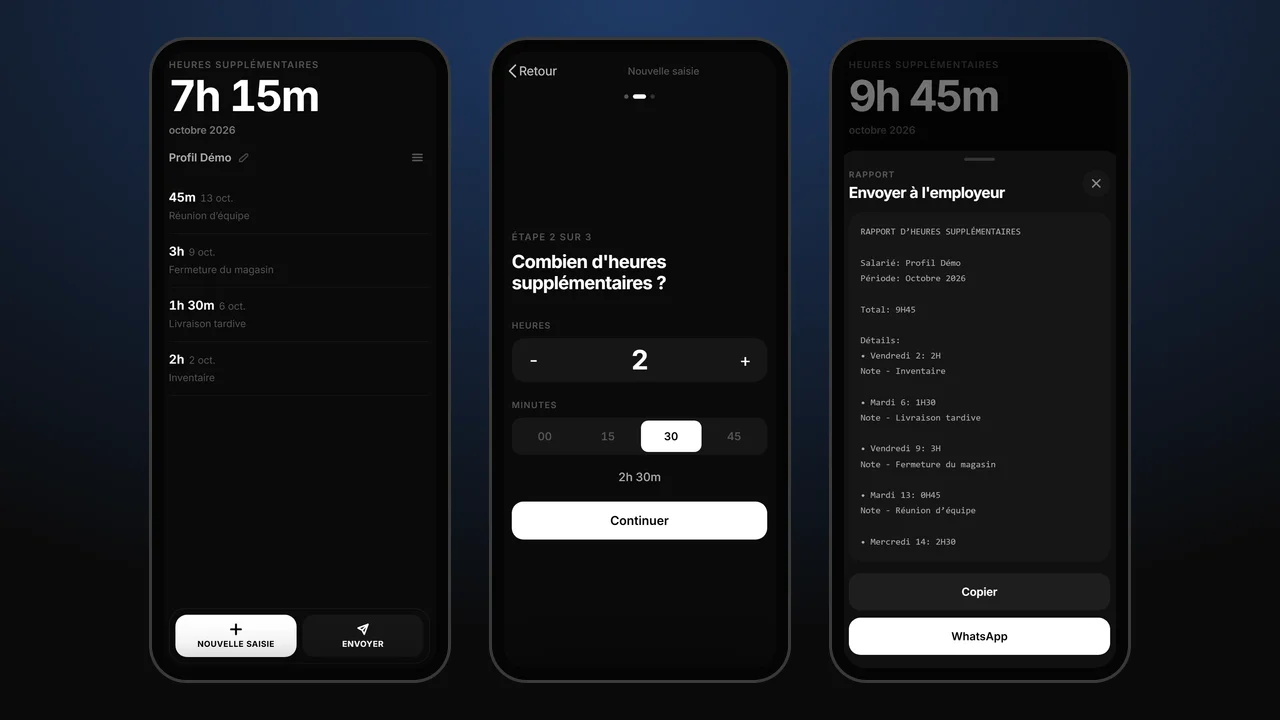
Three screens of the Overtime app with a demonstration profile: the month total and list of hours, entering hours, and the report to send to the employer
Demonstration profile · No real personal data
Work · Time tracking

Overtime tracker

Track your overtime and keep your records in one place. A lightweight application with data saved on your device and offline access.

The need
Keep a simple record of overtime.
What it makes possible
Keep hours and records together on your device, including offline.
Time trackingOffline
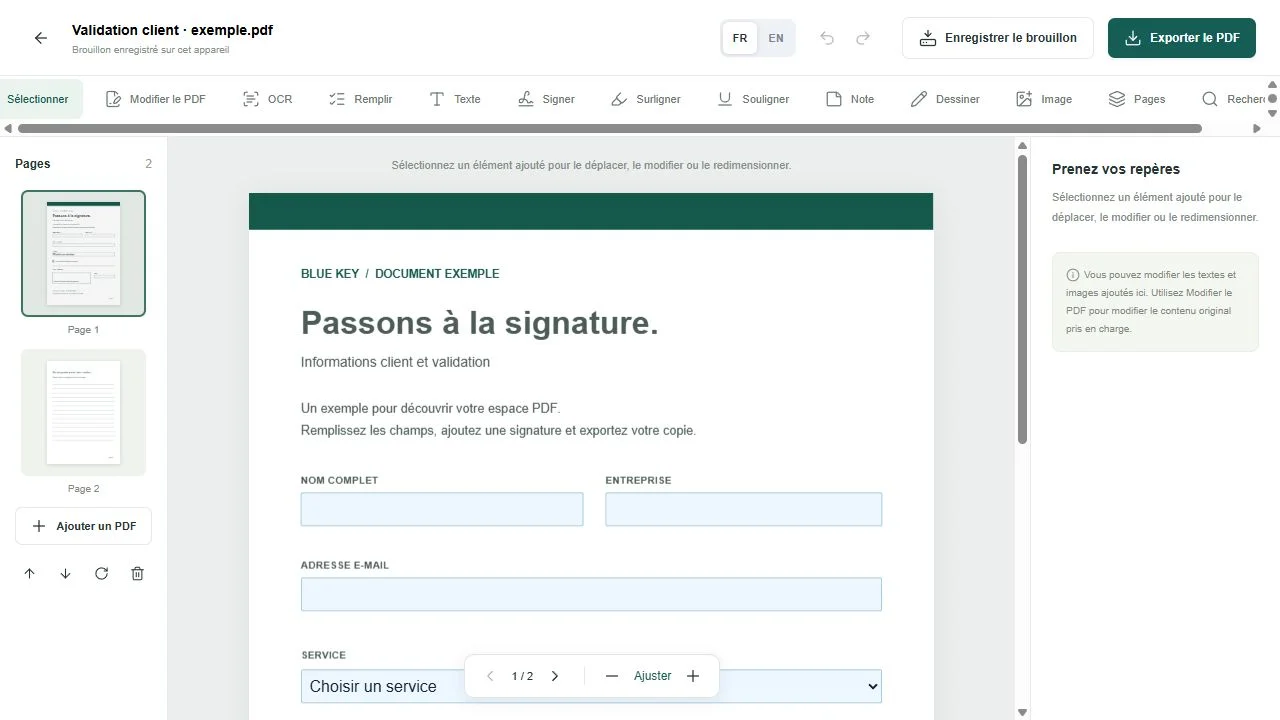
BlueKey PDF Editor interface with a sample document
Built-in sample document
Documents · PDF editor

BlueKey PDF Editor

Read, fill, edit supported text and images, add a visible signature and export your PDFs. French and English interface, with local OCR for scanned documents. Files are processed in your browser.

The need
Prepare a PDF without switching between tools.
What it makes possible
Read, fill, sign and export in one workspace, with processing in the browser.
PDF editingFR / ENBeta
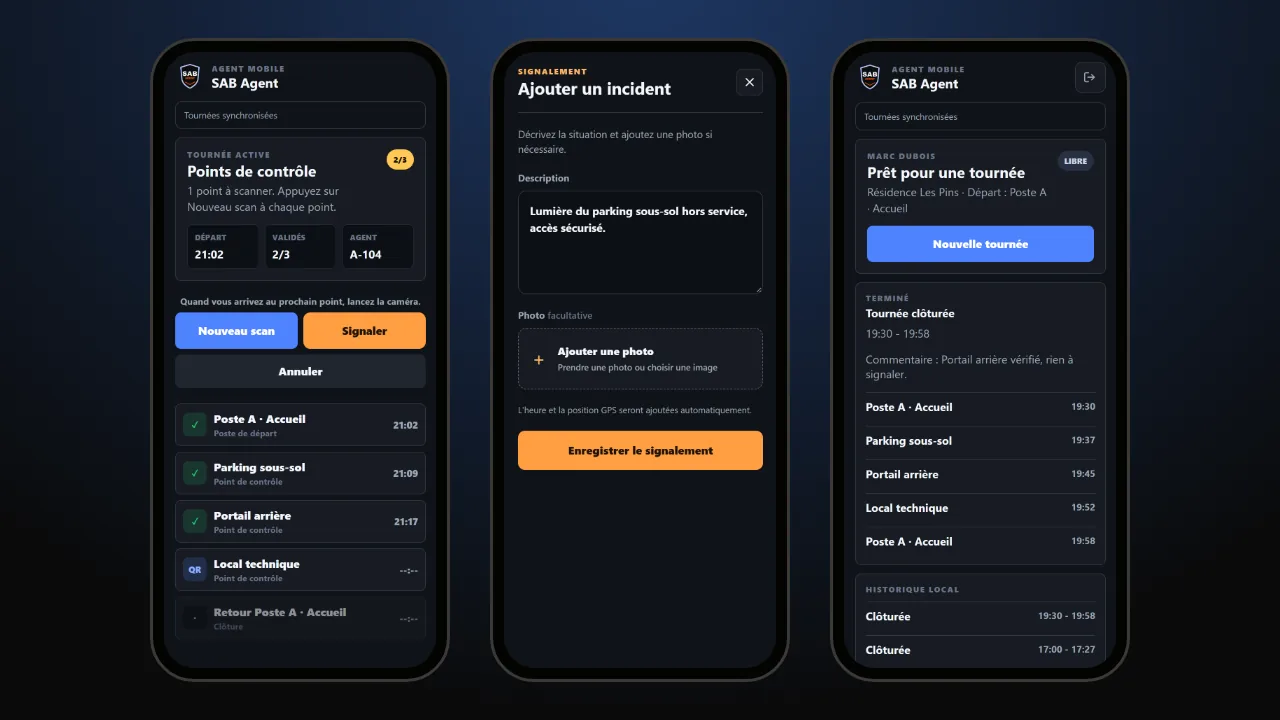
Three SAB Agent screens with demonstration data: a patrol in progress with scanned checkpoints, reporting an incident, and the summary of a completed patrol
Demonstration data · No real personal data
Security · Patrols in the field

SAB Agent

The mobile application for security agents on patrol: sign in with badge and PIN, scan the QR code at each checkpoint, report incidents with a photo and GPS position, and keep working even without a connection.

The need
Prove that every patrol was carried out, point by point.
What it makes possible
Record each checkpoint with its time and position, and send patrols to the manager as soon as the network returns.
QR scanningGPSOffline
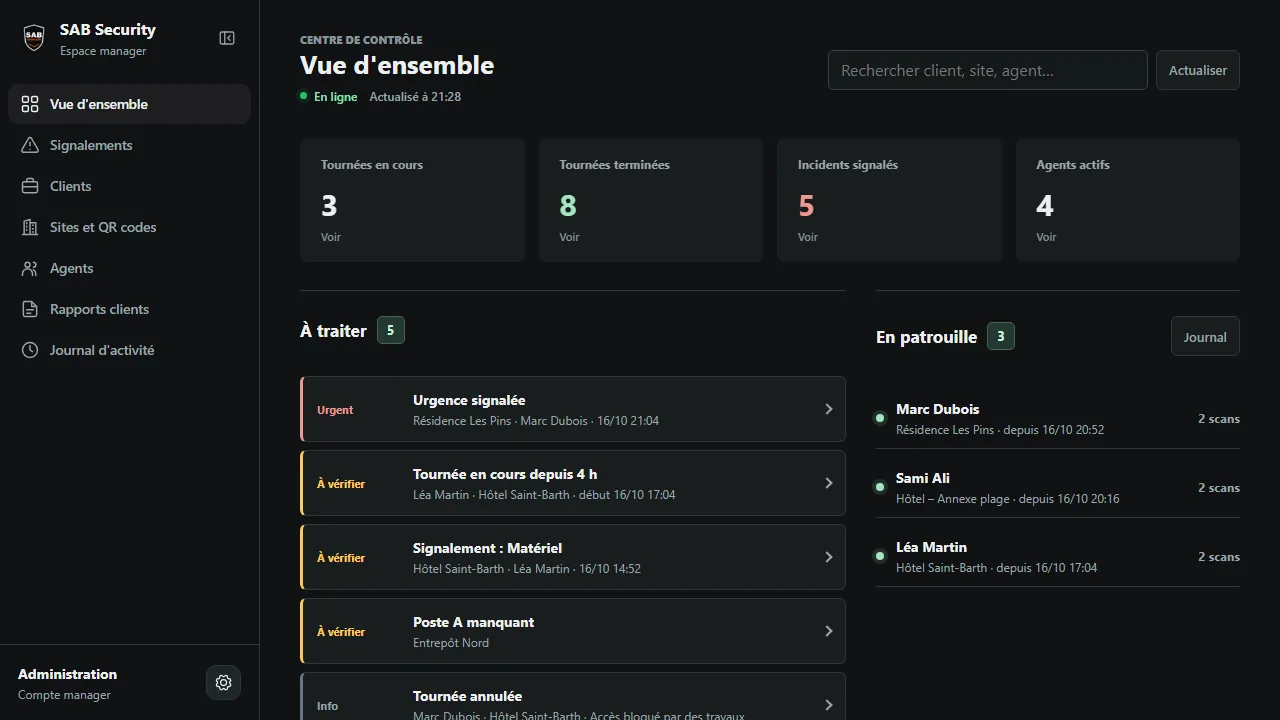
SAB Manager dashboard with demonstration data: patrols in progress, reported incidents, items to review and agents on patrol
Demonstration data · No real personal data
Security · Management dashboard

SAB Manager

The dashboard for security managers: follow patrols live, handle incidents, manage agents, sites and QR codes, and produce PDF reports for each client.

The need
See what is happening on every site at a glance.
What it makes possible
Spot what needs attention, organise teams and sites, and send clear reports to clients.
Live trackingPDF reportsMulti-site

An application for your business?

Tell us about your idea. We will find the right approach together.

Discuss a project